The agent window
What this covers
The agent works in the background. Its window, Agent Status, shows what it is doing and where you act on anything held back. Closing the window does not stop the agent.
Before you start
Open the window from Start ▸ GoRoute ▸ Agent Status, or click the GoRoute icon in the system tray. The icon is green when all is well, amber when something needs you, and red when the agent cannot read Sage or is not running.
The bar at the bottom of every tab has Check Sage now, Refresh, Readiness report, Send diagnostics and Close. The version number beside it opens this guide.
Steps
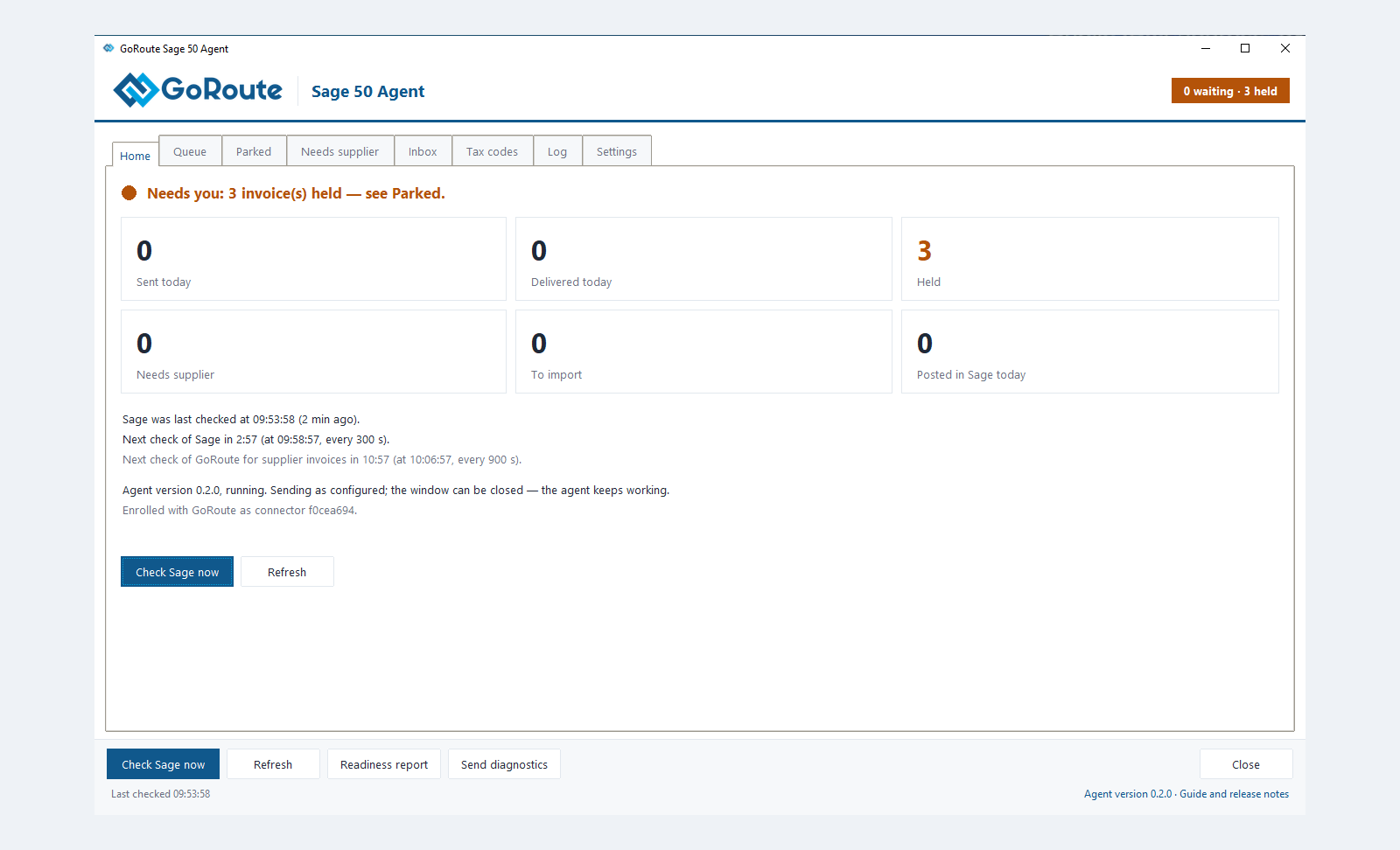
Home
One sentence says what to do. Six tiles count today's work: Sent today, Delivered today, Held, Needs supplier, To import and Posted in Sage today. Click a tile to open its tab. Below them: the last and next checks, and the connection to GoRoute.
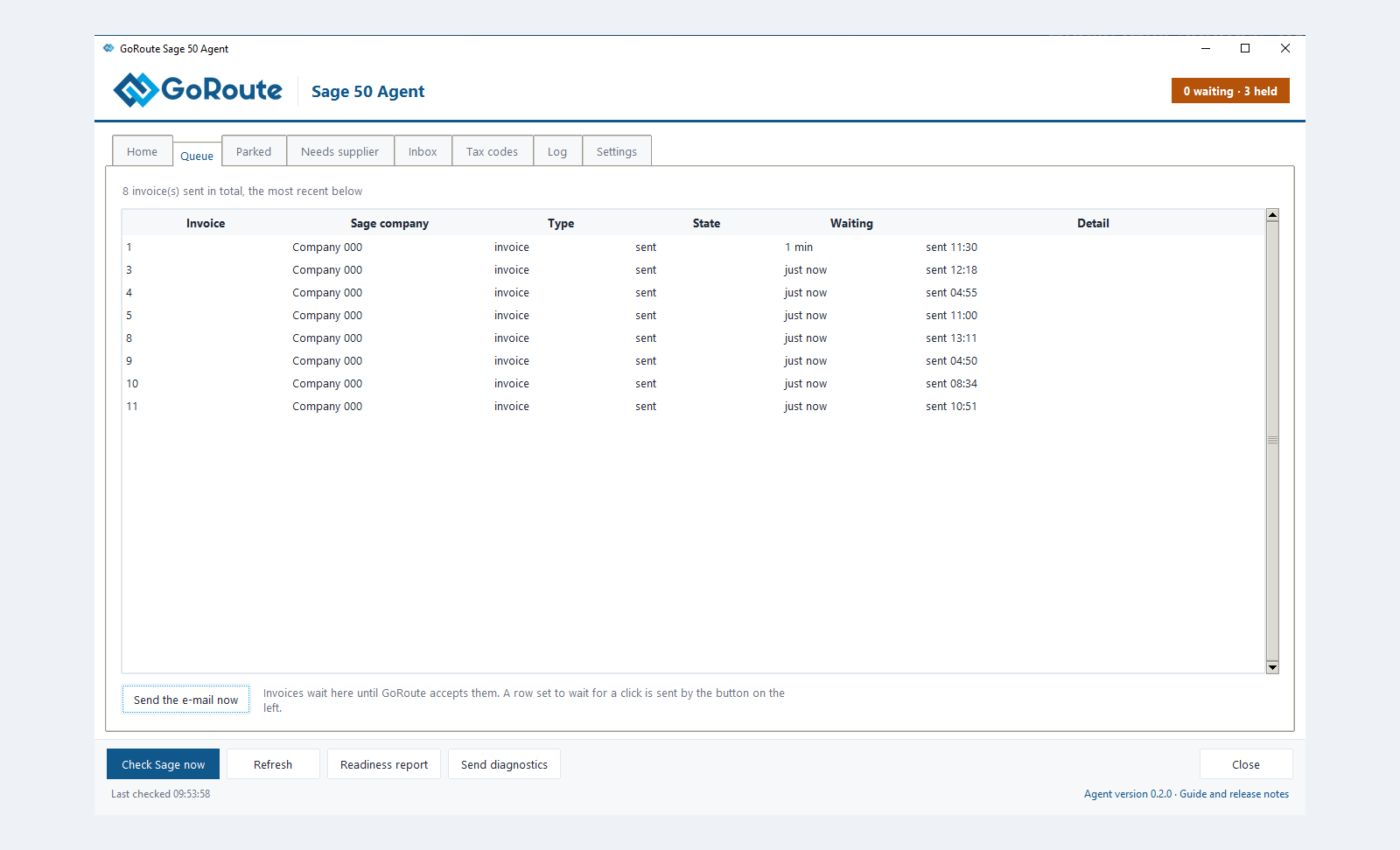
Queue
Invoices waiting to be sent, then the 25 most recently sent. The State and Detail columns say what happened. Send the e-mail now sends a selected invoice waiting for an e-mail.
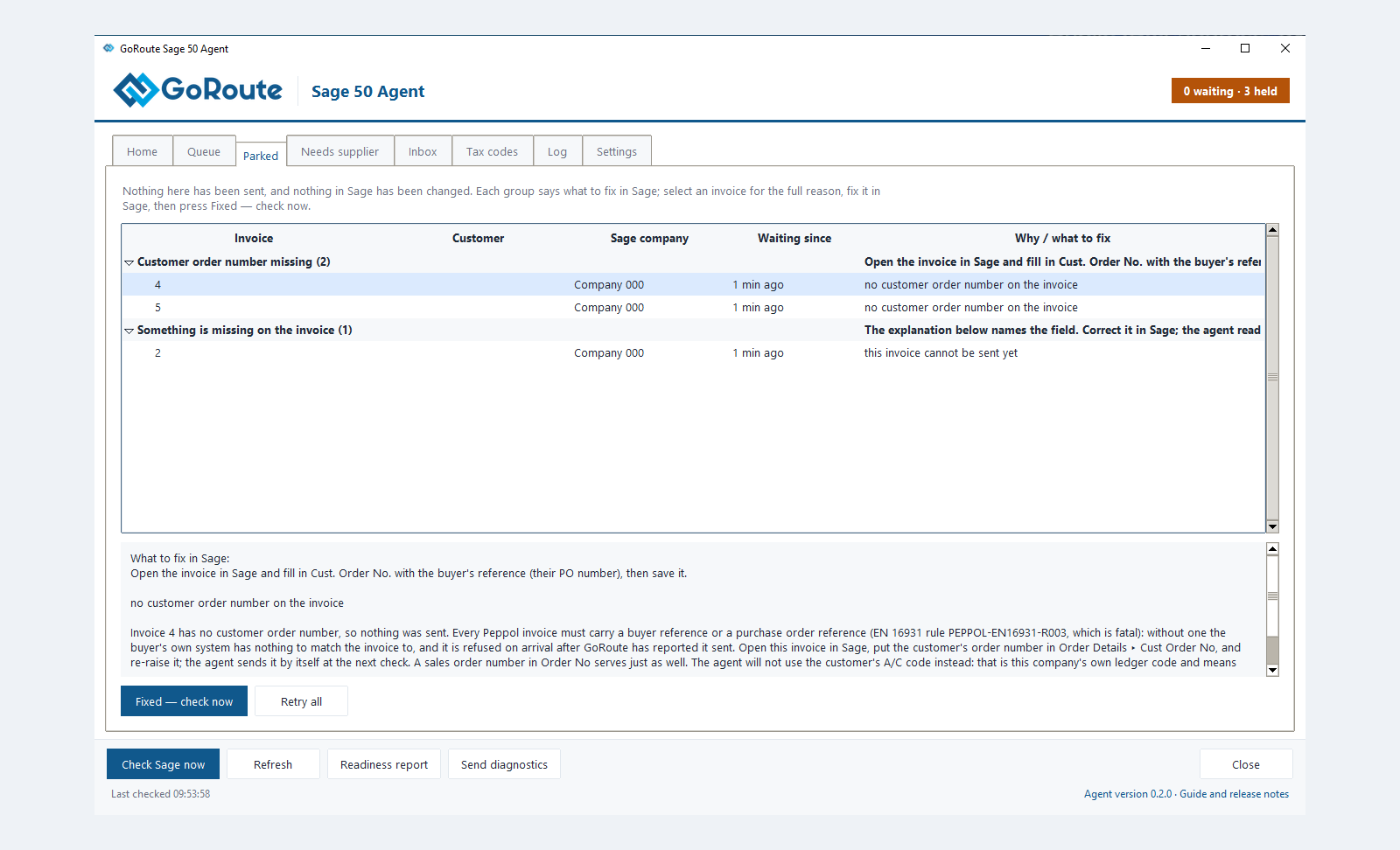
Parked
Invoices held back, grouped by what to fix in Sage. Select one for the full reason. Fixed — check now retries it. Retry all retries every one.
Needs supplier
Supplier invoices from businesses not in Sage's supplier list, with the name and VAT number to create. There is nothing to press: create the supplier in Sage and the agent matches it.
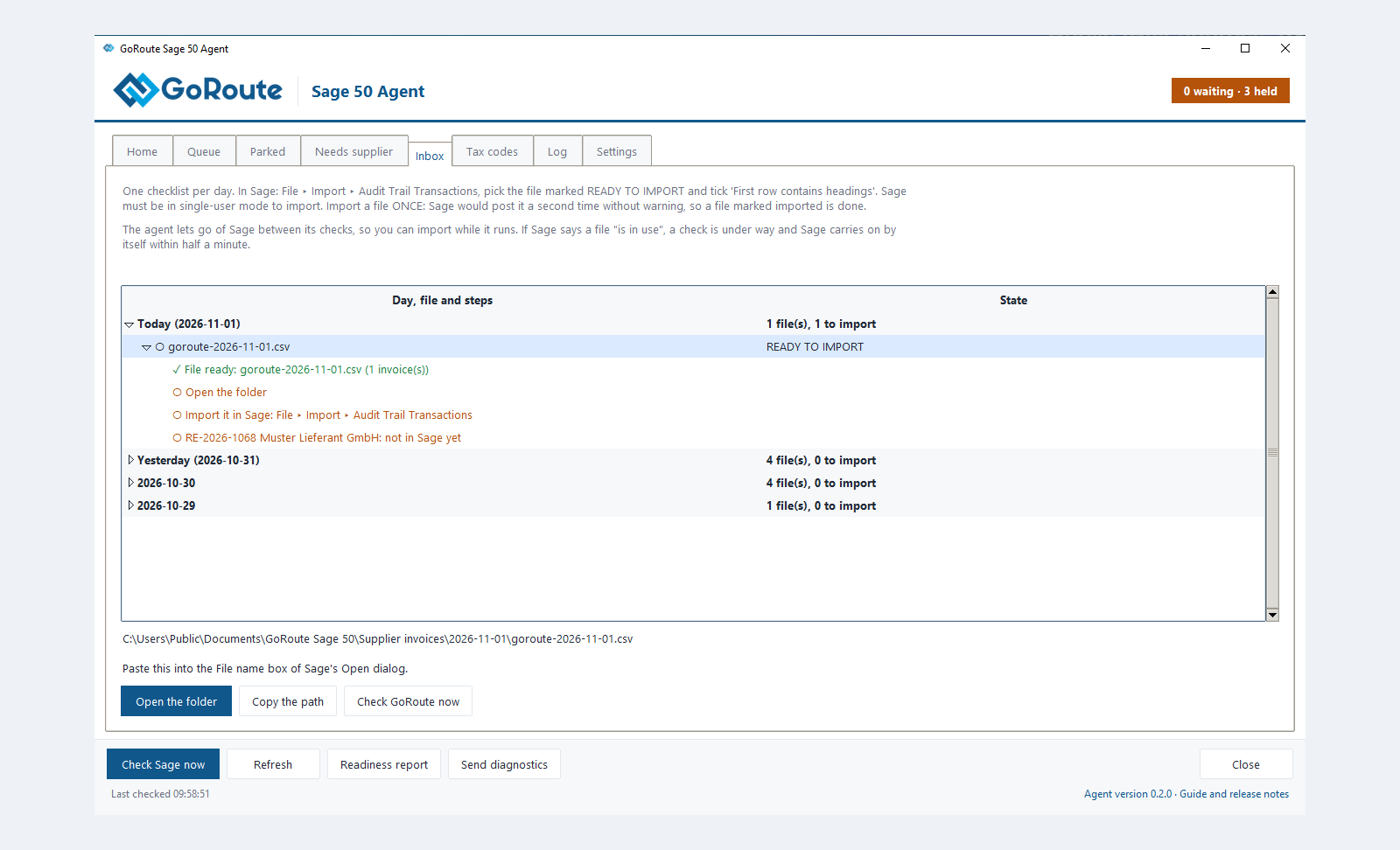
Inbox
One checklist per day: the file, Open the folder, the import, then each invoice posted in Sage as transaction and its number. Copy the path puts the selected file's path on the clipboard. Check GoRoute now fetches new supplier invoices.
Tax codes
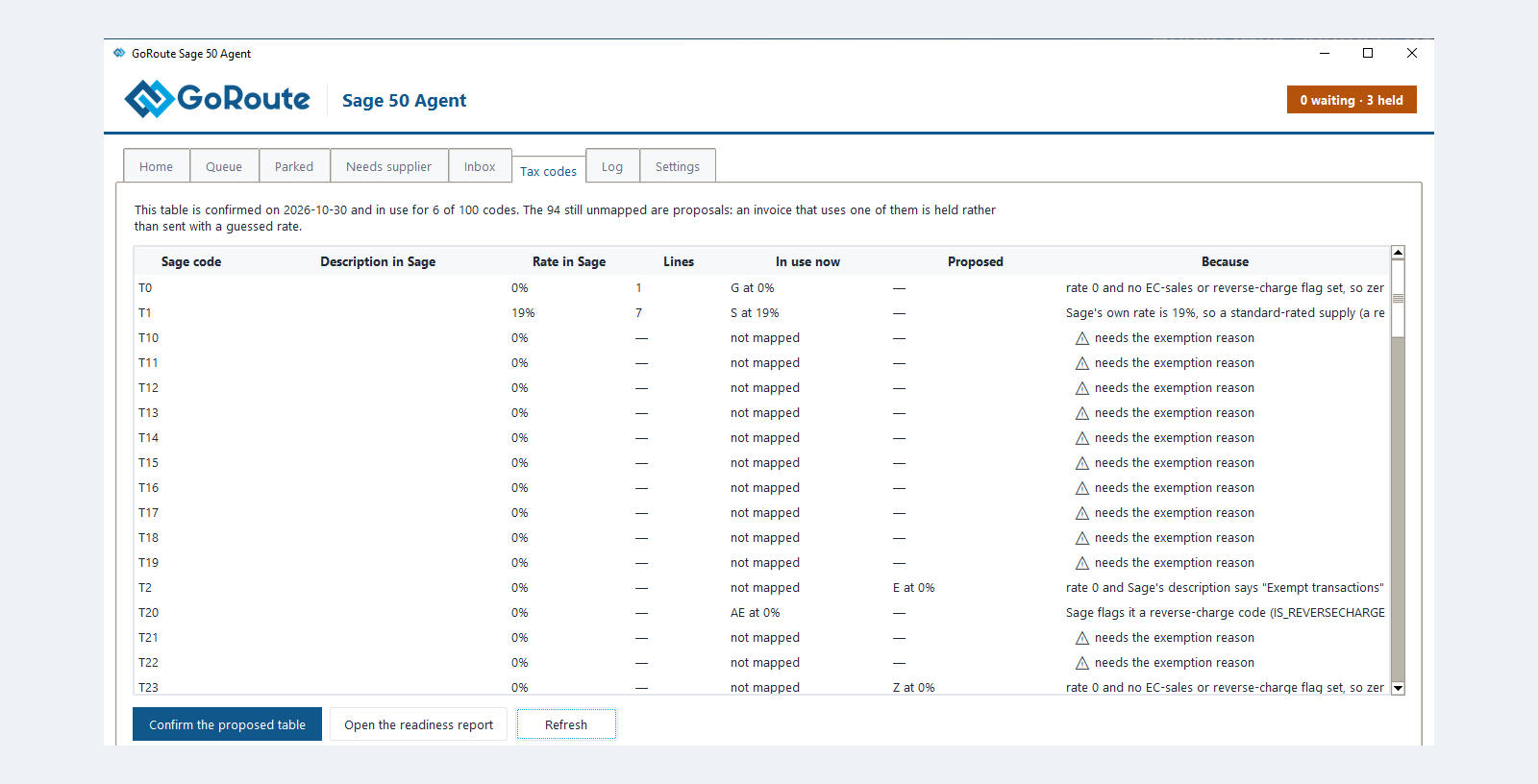
Each Sage tax code, its rate in Sage, how many lines use it, what is In use now, what is Proposed, and Because. Confirm the proposed table puts the proposals in use. See Tax codes and identifiers.
Log
The agent's log. Type in Show lines containing to filter. Open the log folder opens it to attach to an e-mail. The log never holds a key or a password.
Settings
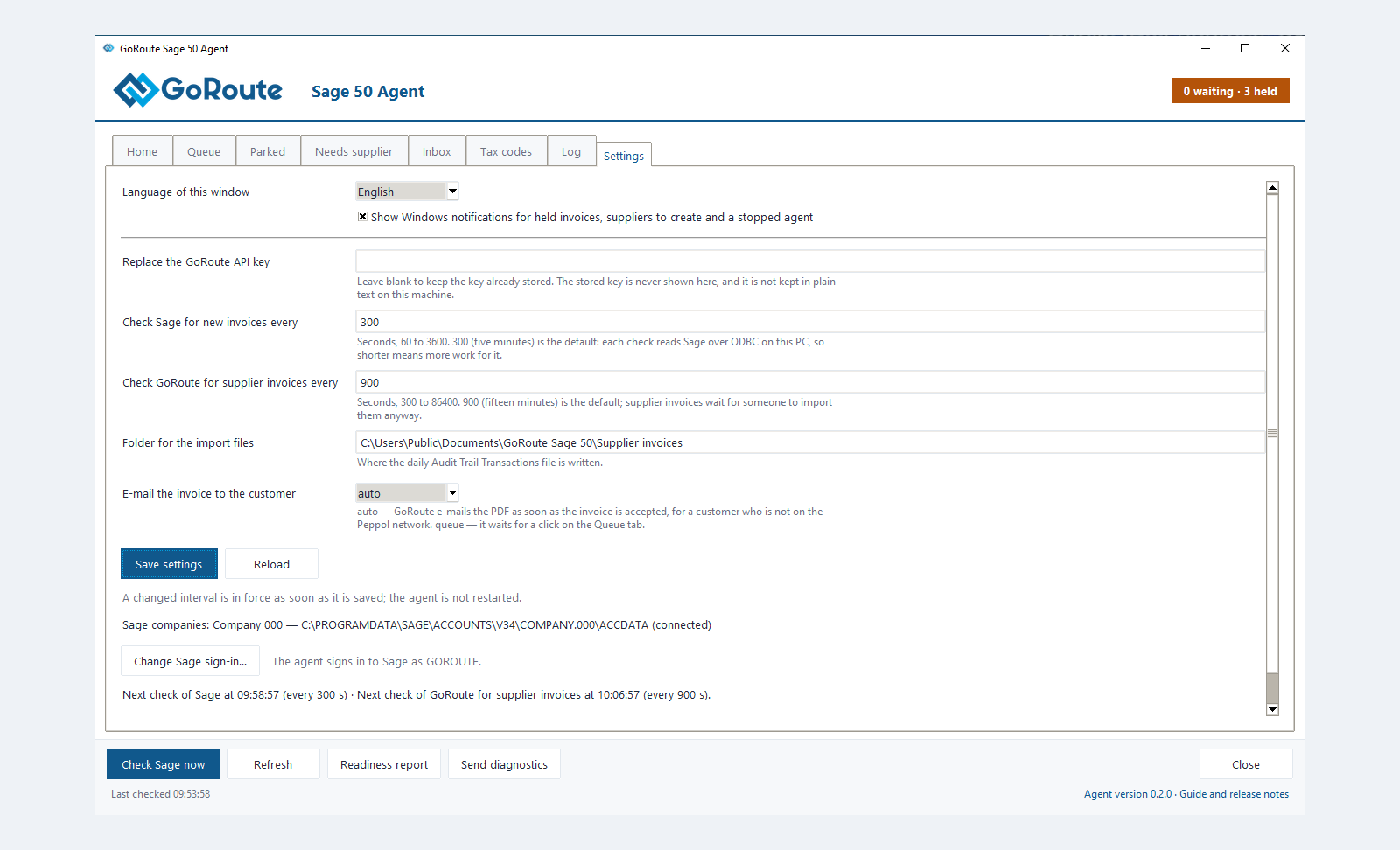
| Setting | What it does |
|---|---|
| Language of this window | English or Deutsch |
| Show Windows notifications… | Notifications for held invoices, suppliers to create and a stopped agent |
| Check Sage for new invoices every | 60 to 3600 seconds. Default 300 |
| Check GoRoute for supplier invoices every | 300 to 86400 seconds. Default 900 |
| Folder for the import files | Where the day's file is written |
| E-mail the invoice to the customer | auto or queue. See Customers not on Peppol |
| Change Sage sign-in… | A new Sage user or password, saved only once Sage accepts it |
| Refresh company profile | Reads your GoRoute company settings now. The agent also does this every ten minutes |
Click Save settings. A new interval is in force at once, with no restart.
What the intervals cost. Every check of Sage reads your company data on that PC, whether or not anything was posted. A one-minute interval reads it all day for invoices you post a few times an hour. Sending is not on the timer: a shorter interval only shortens the wait between posting and sending.
What you should see
The header shows how many invoices are waiting and how many are held, for example 0 waiting · 0 held.
If it does not work
| You see | What to do |
|---|---|
| Not running in the header | Start the agent from Start ▸ GoRoute ▸ GoRoute Sage 50 Agent. |
| Cannot read Sage | See Troubleshooting. |
Written for agent 0.2.x and the GoRoute portal release of 31 October 2026.