Supplier invoices by e-mail and upload
What this covers
Many suppliers e-mail their e-invoices instead of sending them over Peppol. Send those to your company's intake address, or upload them in the portal. They then take the same road as Peppol invoices: into the day's import file on the Sage PC.
Before you start
Know which files count. GoRoute reads the e-invoice inside the file:
| The supplier sends | Accepted |
|---|---|
XRechnung, UBL or CII (.xml) | Yes |
Peppol BIS Billing 3.0, or any EN 16931 invoice or credit note (.xml) | Yes |
| ZUGFeRD 2.x or Factur-X (a PDF with the invoice XML inside) | Yes. The PDF is kept as the supplier's copy |
| A plain PDF, a scan, a Word file | No. Ask the supplier for the e-invoice |
Each file can be up to 20 MB.
Steps
By e-mail
-
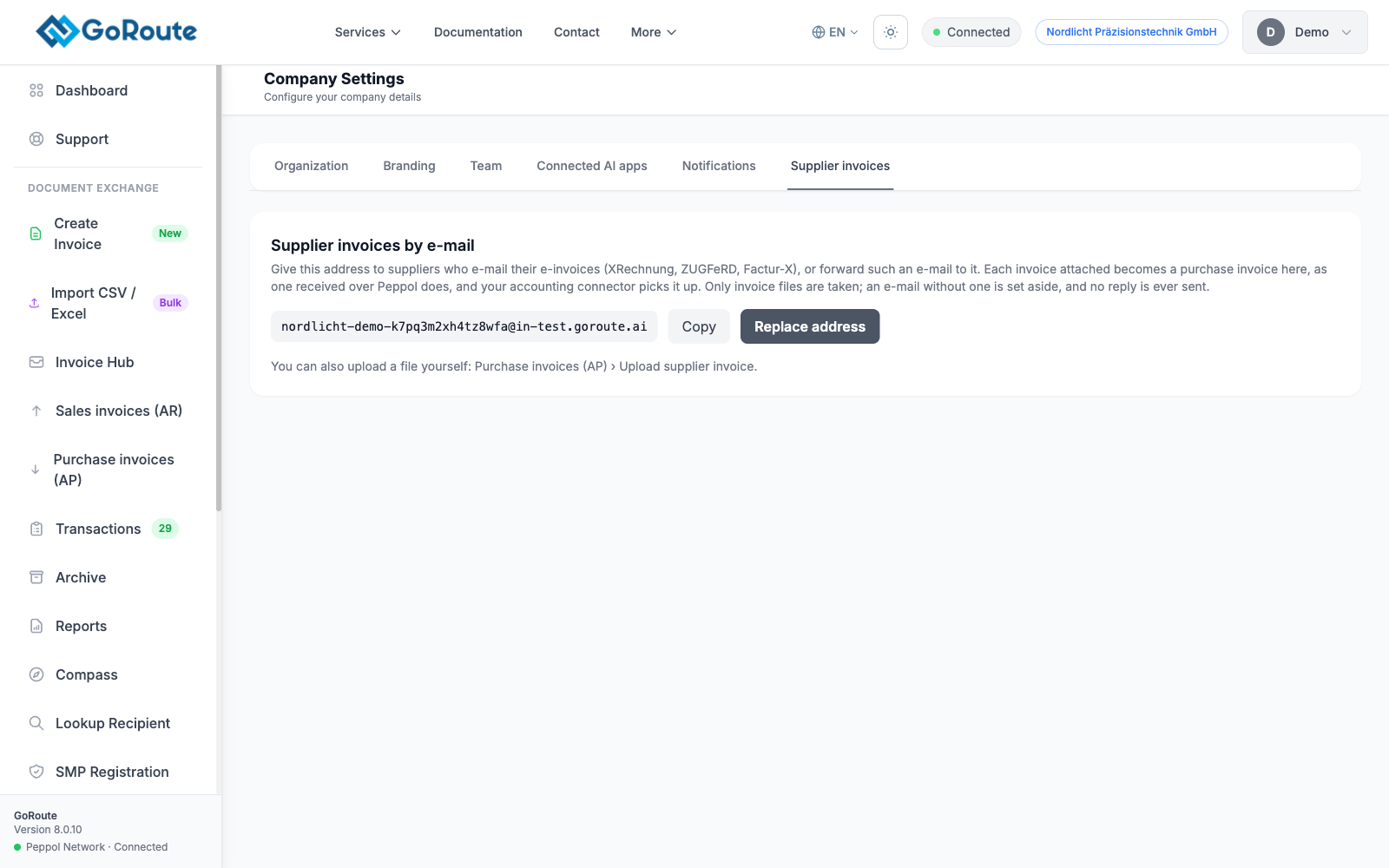
In the portal, open Company Settings ▸ Supplier invoices. Your intake address is shown there. If there is none yet, click Create address.
-
Give the address to suppliers who e-mail their e-invoices, or forward their e-mails to it. Put it in To or Cc.
-
Every e-invoice attached to an e-mail becomes one received document, usually within a minute. The e-mail text, signatures and logos are ignored. No reply is ever sent to the sender.
By upload
-
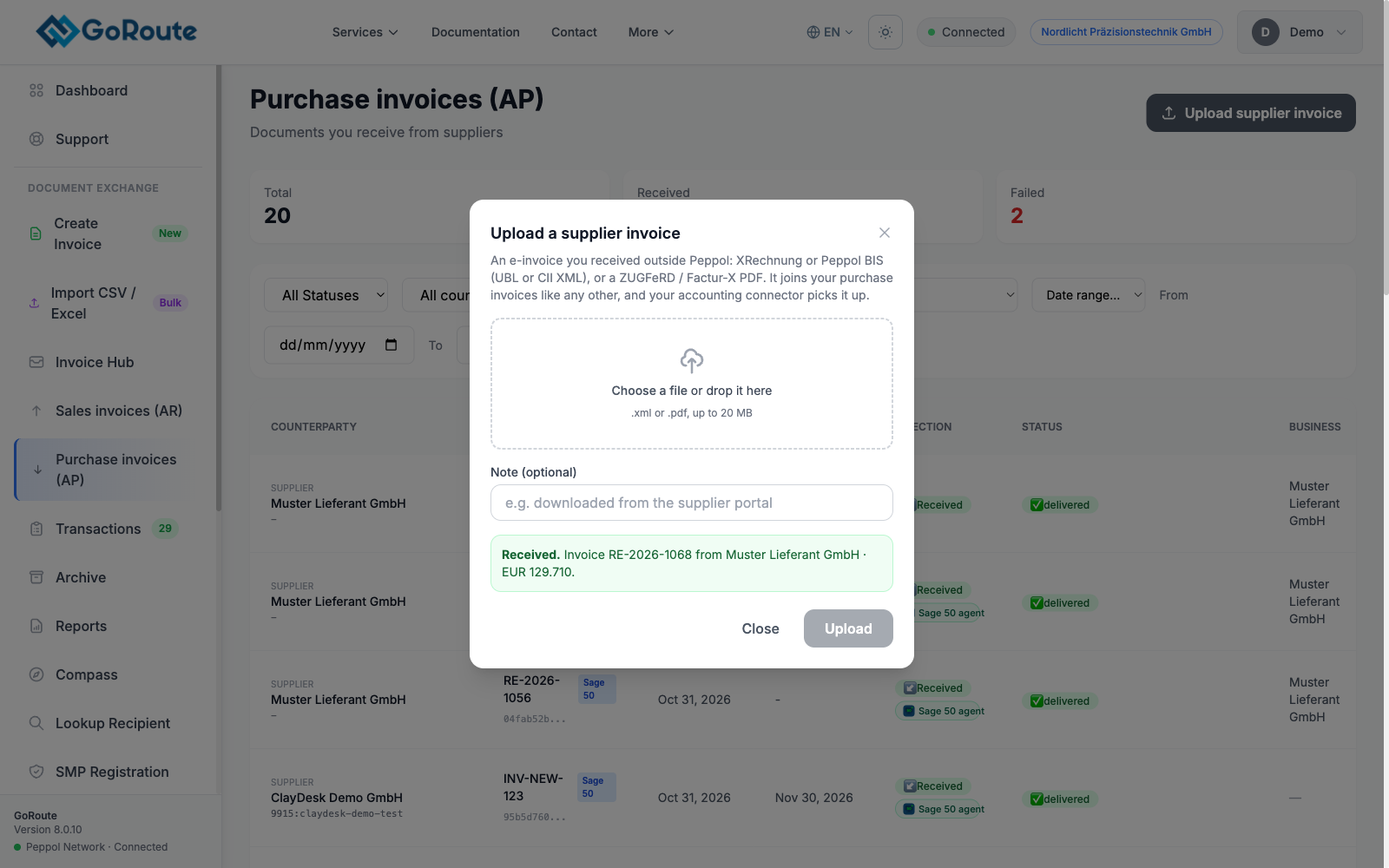
In the portal, open Purchase invoices (AP) and click Upload supplier invoice.
-
Choose or drop the file. You see at once whether it was received.
Into Sage
At the agent's next check of GoRoute, every fifteen minutes by default, the invoice joins the day's import file with the supplier's PDF beside it. Click Check GoRoute now on the Inbox tab to fetch it sooner. Then import it as in Receiving supplier invoices.
What you should see
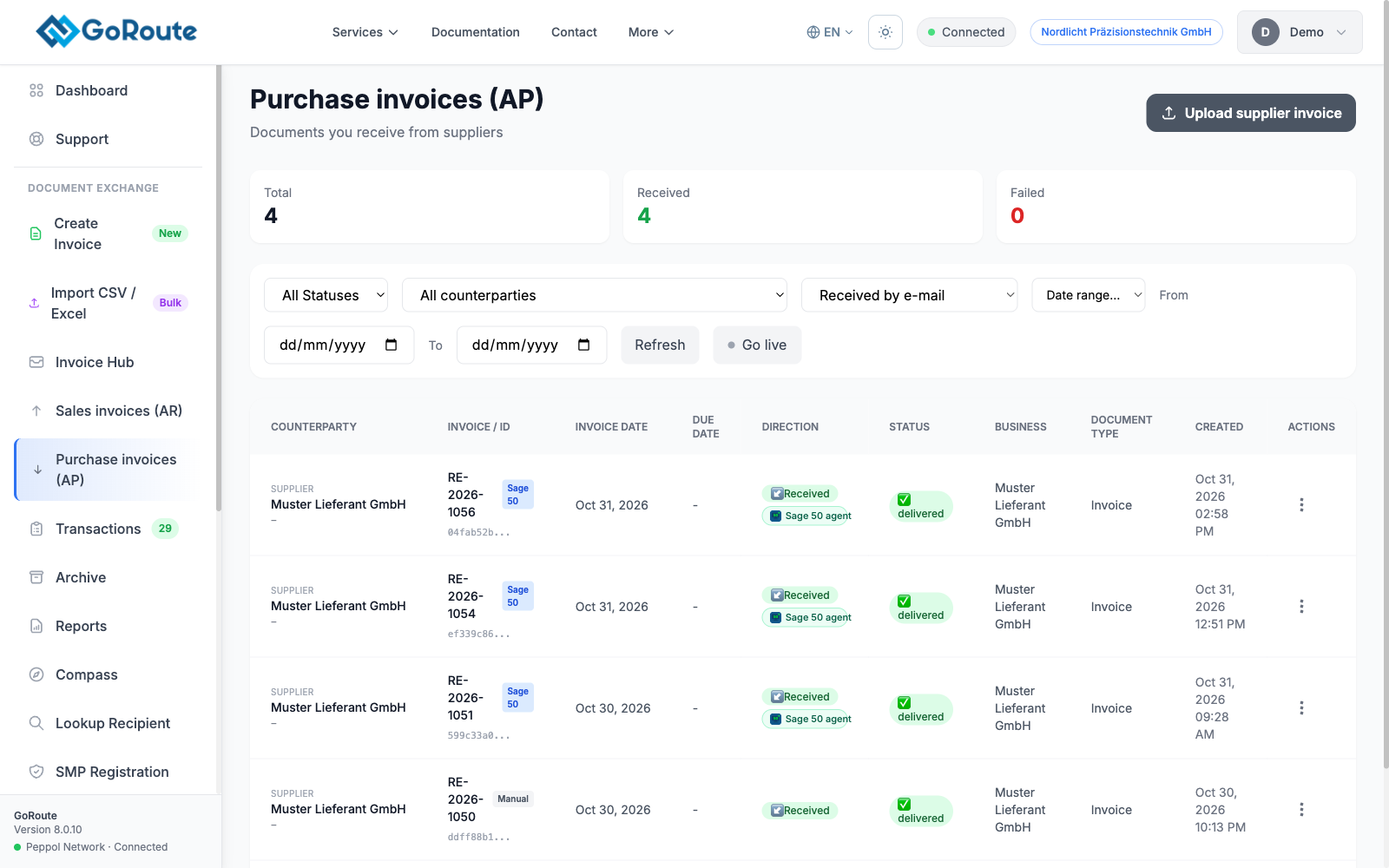
In Purchase invoices (AP), the channel filter shows Uploaded or Received by e-mail, next to the invoices that arrived over Peppol.
Duplicates
The same file sent twice, or e-mailed after you uploaded it, is recorded once. A ZUGFeRD PDF and its own XML are two different files: send one of them, not both.
If it does not work
| You see | What to do |
|---|---|
| Nothing in Purchase invoices two minutes after the e-mail | Check the attachment is an e-invoice, not a plain PDF. Check your Sent folder for a bounce. |
| Company Settings says Not available yet | Your GoRoute service does not take e-mail yet. Use the upload. |
| The invoice is addressed to another company | It is still received, and flagged for someone to decide what to do with it. |
| You need a new address | Replace address gives you a new one. The old one stops at once, so tell your suppliers. Only an administrator can replace it. |
For the full reference, see Supplier invoices by e-mail or upload.
Written for agent 0.2.x and the GoRoute portal release of 31 October 2026.