Sending sales invoices
What this covers
How a posted Sage invoice becomes an e-invoice, what Parked means, and what happens when the PC is off.
Before you start
The agent is installed and the tax codes are confirmed. Each customer has a VAT number and a country, or a Peppol address in Analysis 1. See The readiness report.
Steps
-
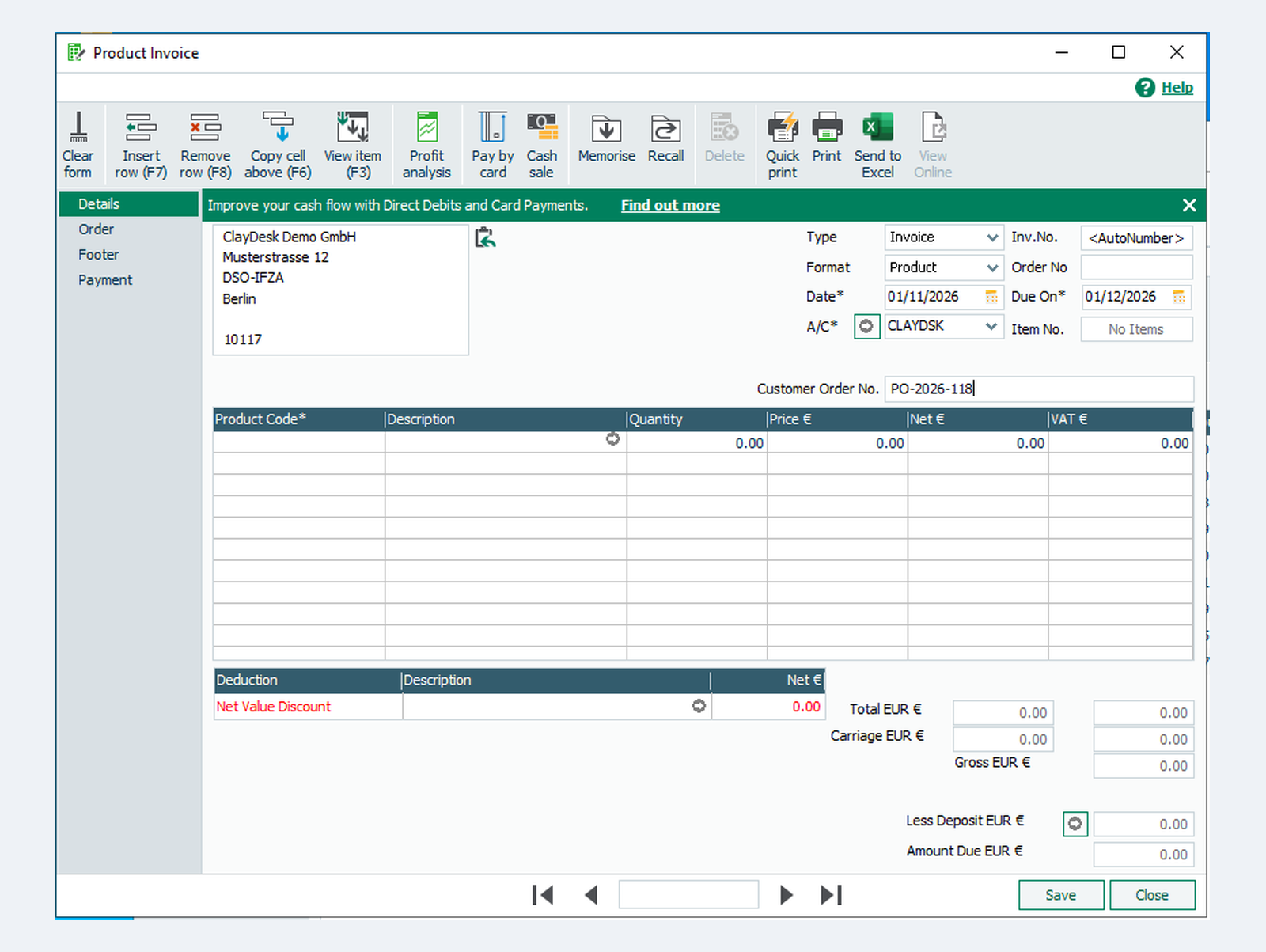
In Sage, open Invoices and credits and click New invoice. Choose the customer in A/C.
-
Fill in Customer Order No. with the customer's order number or reference. Every e-invoice must carry one. A sales order number in Order No works as well.
-
Add the lines with their tax codes, Save, and click Update Ledgers.
-
The agent reads Sage every five minutes, by default. It builds the e-invoice from the invoice and from your GoRoute company settings, checks it against the official rules for your country, and sends it:
- over Peppol when the customer is on the network;
- otherwise as a ZUGFeRD PDF by e-mail. See Customers not on Peppol.
-
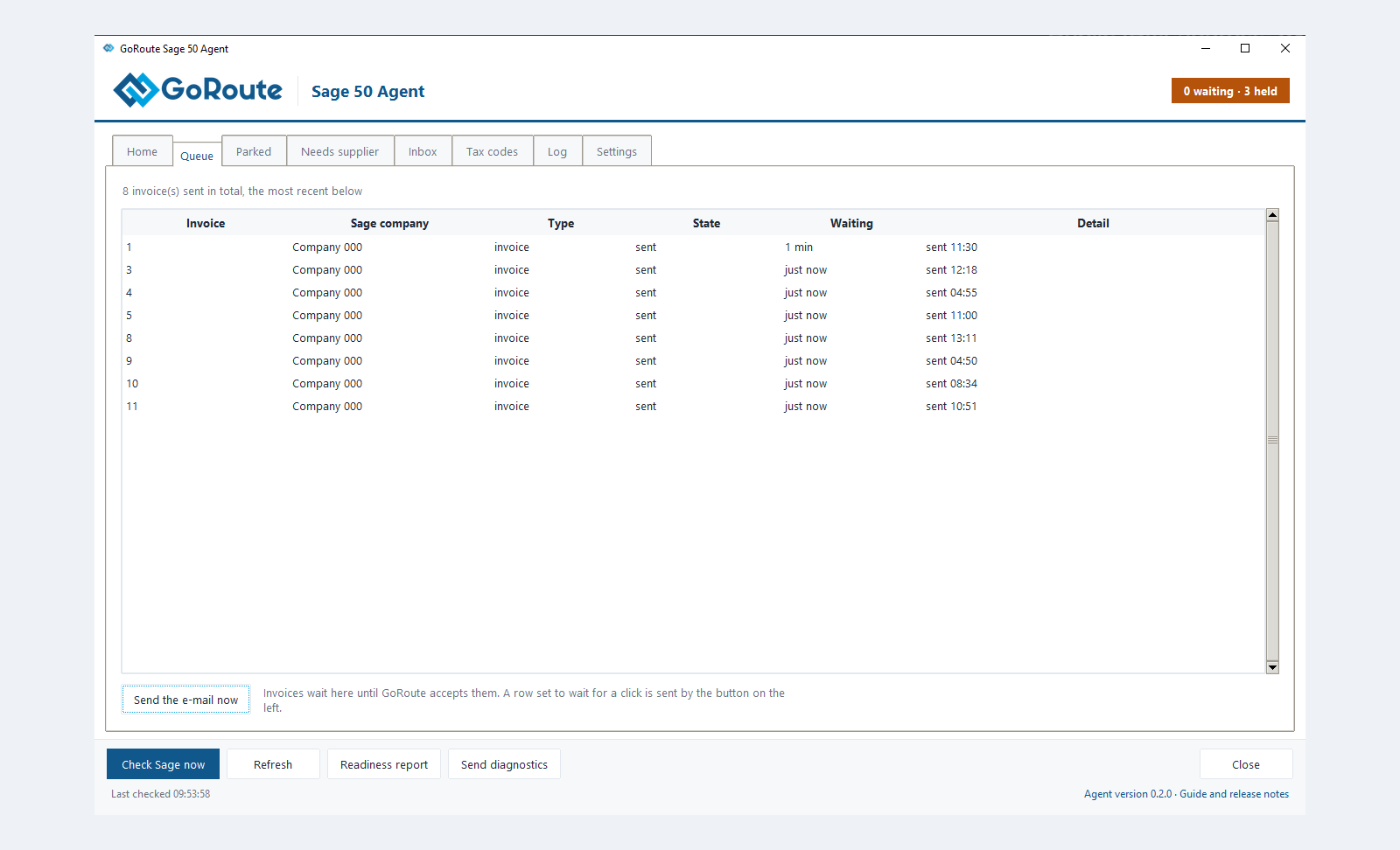
Open Agent Status ▸ Queue. The invoice moves from Queued to Sent.
Credit notes
Raise a credit note in Sage in the usual way and write the invoice number on it, in Cust. Order No. or in the notes, for example Invoice 1234. The agent finds that invoice among the customer's posted invoices and names it on the e-credit note.
When an invoice is parked
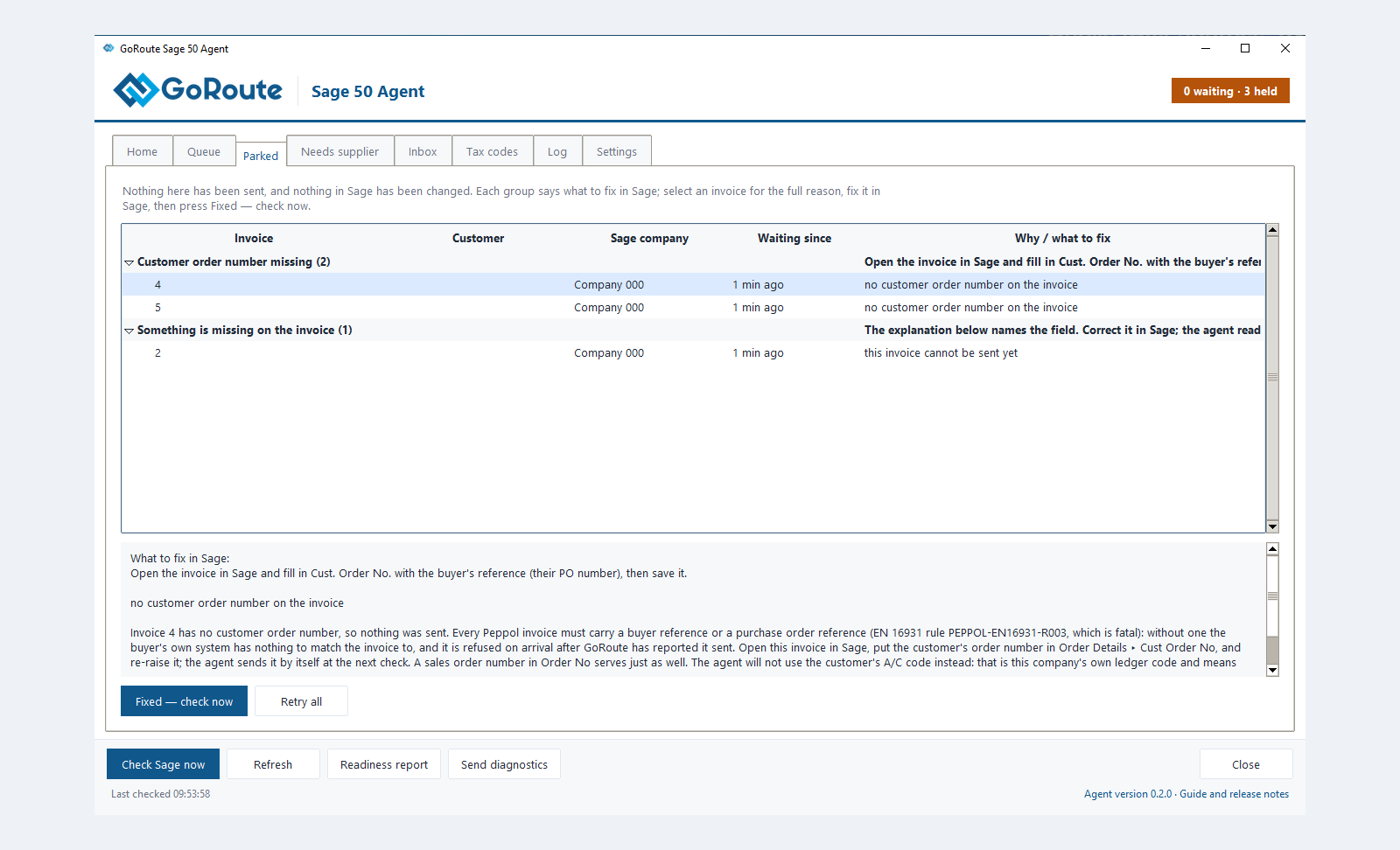
An invoice that would be refused is parked instead of sent. Nothing has been sent and nothing in Sage has changed. A parked invoice never holds up the invoices behind it.
- Open Agent Status ▸ Parked. Invoices are grouped by what to fix.
- Select an invoice. The pane underneath gives the full reason.
- Correct the record in Sage, for example the customer's VAT number. A posted invoice cannot be edited in Sage, so when the fault is on the invoice itself, raise it again correctly.
- Click Fixed — check now. Retry all tries every parked invoice again.
The most common reasons are in the table in Troubleshooting.
What you should see
-
Agent Status ▸ Home counts Sent today and Delivered today.
-
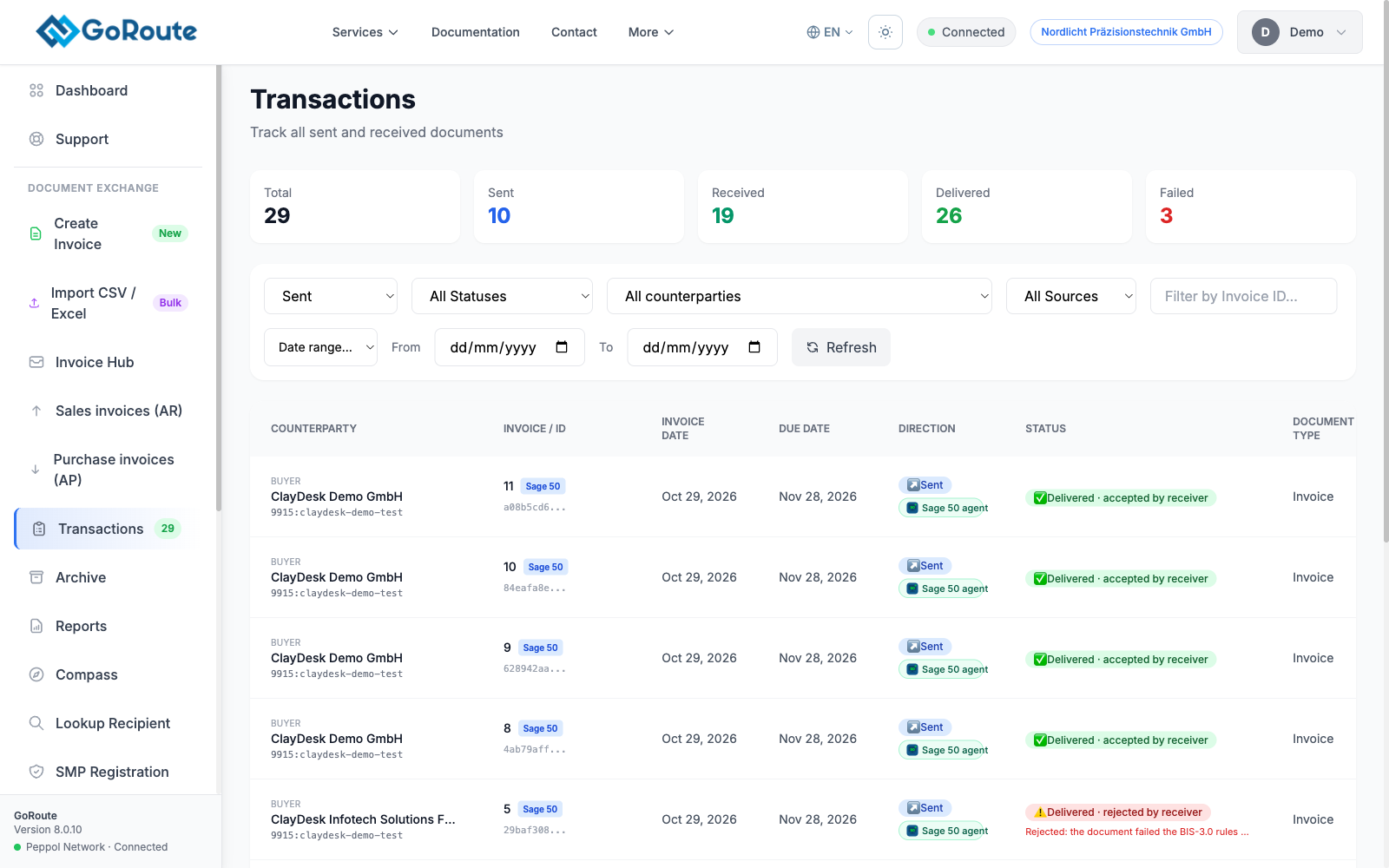
In the portal, Transactions lists the invoice with a Sage 50 agent label and its delivery status.
-
If the customer's system rejects an invoice after delivery, the portal shows it as rejected by receiver, with the receiver's reason.
If the PC is off or offline
Invoices wait safely in the agent's queue on the PC and go out when it is back. If the oldest unsent invoice has waited more than 18 hours, the agent window turns amber and says so. The portal shows the agent as offline and e-mails your administrators.
Once a day the agent reads every invoice posted since go-live again and queues any it has no record of sending. A missed invoice is found the next day.
If it does not work
| You see | What to do |
|---|---|
| Nothing in the Queue a few minutes after posting | Check the invoice was raised under Invoices and credits and posted with Update Ledgers. Click Check Sage now. |
| Customer order number missing on the Parked tab | Raise the invoice again with Customer Order No. filled in. |
| Tax code not confirmed | Confirm the code on the Tax codes tab. |
| The invoice is Sent but the customer has not received it | See Troubleshooting. |
Written for agent 0.2.x and the GoRoute portal release of 31 October 2026.